NEWS Splitter FREEGAMES Splitter PCTROUBLESHOOTING Splitter GAMELIST Splitter FREEGAMEACCOUNT Splitter EMULATOR

Search This Blog

Showing posts with label Playstation. Show all posts

Sunday, July 25, 2010

Epsxecutor


Name:  Epsxecutor
Type:  Configuration Utility
Details:  This is a utility that can create and store different setting for your Epsxe emulator.  Different games have different settings.

Download

http://hotfile.com/dl/57116171/7a7c042/Epsxecutor_www_gamerzedge-zero_blogspot_com.7z.html

Mirror
http://depositfiles.com/files/q0zjrtci2
Mirror
http://www.ziddu.com/download/10858190/Epsxecutorwww_gamerzedge-zero_blogspot_com.7z.html
Mirror
http://freakshare.net/files/win8odia/Epsxecutor-www_gamerzedge-zero_blogspot_com.7z.html
Mirror
http://uploading.com/files/4a7d66fd/Epsxecutor%2Bwww_gamerzedge-zero_blogspot_com.7z/


Password
gamerzedge-zero

Sunday, July 11, 2010

Crash Team Racing Epsxe problem

The PAL version of Crash Team Racing is protected, Subchannel must be enable while using P.E.Op.S CDr plugin, use a PPF file or even a M3S. Get them all from http://ngemu.com/psx/misc.php?action=ppf


To use the IPS patch, unzip it on the ePSXe "patches" subfolder, and rename the file to "SCES_021.05" exactly. Make sure to change both the file name and extension, and the Auto load PPF file option is enabled: "Options" -> "Auto load PPF..."

Or ,it  is posible to use a M3S file from the same site, unzip and load it on the Peops CDr plugin: "Config" -> "CD-Rom" -> "P.E.Op.S CDR Driver" -> "Subchannel Reading" -> "Use SBI/M3S file": On the "File" line click on "...", then look for the M3S file

Sunday, May 9, 2010

Soul Reaver - Dumah Furnace problem


Soul Reaver Dumah Furnace problem

Problem
When Fighting Dumah in the furnace the fire won't ignite

Solution
The bug sometimes occurs, I myself experience this to solve this problem. To solve this problem you need to start again the mission or load your previous file and fight Dumah again.

Note
Some say that the problem occurs when saving in between the mission and not finishing it.  It is said that you need to finish the mission with Dumah with one go.  Saving and loading in between the mission may trigger the problem.

Saturday, May 8, 2010

The Legend of Dragoon (Save game)


Title:  The Legend of Dragoon
Genre:  Rpg
Platform:  Playstation, Playstation 2
Save type:  Savestate
Emulator used:  Epsxe
Details: Disk one

Download

Disk 1
http://hotfile.com/dl/41042306/17dc7d9/The_legend_of_Dragoon_savestate.7z.html
Mirror
http://www.ziddu.com/download/9712113/ThelegendofDragoonsavestate.7z.html
Mirror
http://depositfiles.com/files/skjw4erpl
Mirror
http://freakshare.net/files/nqxo87wc/The-legend-of-Dragoon-savestate.7z.html
Mirror
http://uploading.com/files/4615aad6/The%2Blegend%2Bof%2BDragoon%2Bsavestate.7z/
Mirror
http://rapidshare.com/files/383045753/The_legend_of_Dragoon_savestate.7z.html

Disk 2
http://hotfile.com/dl/41161645/bebf8e9/The_Legend_of_Dragoon_savestate_disk_2.7z.html
Mirror
http://www.ziddu.com/download/9718979/TheLegendofDragoonsavestatedisk2.7z.html
Mirror
http://depositfiles.com/files/5vquojhgw
Mirror
http://freakshare.net/files/vjzjw1sy/The-Legend-of-Dragoon-savestate-disk-2.7z.html
Mirror
http://uploading.com/files/8d9d867d/The%2BLegend%2Bof%2BDragoon%2Bsavestate%2Bdisk%2B2.7z/
Mirror
http://rapidshare.com/files/383275599/The_Legend_of_Dragoon_savestate_disk_2.7z.html

Disk 3 and 4
http://hotfile.com/dl/41228626/b75b208/The_Legend_of_Dragoon_savestate_disk_3_and_4.7z.html
Mirror
http://www.ziddu.com/download/9725979/TheLegendofDragoonsavestatedisk3and4.7z.html
Mirror
http://depositfiles.com/files/toq8niimf
Mirror
http://freakshare.net/files/op8r9gi7/The-Legend-of-Dragoon-savestate-disk-3-and-4.7z.html
Mirror
http://uploading.com/files/3cd37143/The%2BLegend%2Bof%2BDragoon%2Bsavestate%2Bdisk%2B3%2Band%2B4.7z/


Password: gamerzedge-zero

Monday, May 3, 2010

PSX 1.13 unofficial compatibility

Azure Dreams
  • Playable
Chocobo Racing
  • Perfect
Resident Evil Director's Cut
  • Perfect
Soul Reaver
  • Perfect
Tales of Phantasia (J)
  • Playable
Tales of Phantasia (English Patched)
  • Playable
 The Legend of Dragoon
  • Perfect
Thousand Arms
  • Ingame
    Xenogear
    • Ingame

    Monday, April 26, 2010

    Tales of Destiny (Save game)


    Title:  Tales of Destiny
    Save type:  Savestate
    Emulator used:  Epsxe
    Genre:  Rpg
    Publisher: Namco

    Download
    http://hotfile.com/dl/39689347/5e82e05/Tales_of_Destiny_Savestate.7z.html
    Mirror
    http://www.ziddu.com/download/9597887/TalesofDestinySavestate.7z.html
    Mirror
    http://freakshare.net/files/qai9b4xd/Tales-of-Destiny-Savestate.7z.html
    Mirror
    http://uploading.com/files/dc215438/Tales%2Bof%2BDestiny%2BSavestate.7z/
    Mirror
    http://rapidshare.com/files/379885514/Tales_of_Destiny_Savestate1.7z.html

    Password for rapidshare:  http://www.gamerzedge-zero.blogspot.com

    Thursday, April 22, 2010

    CVGS Video patch XP

    OS: Windows
    Size:  58.51

    This "all-in-one" patch for the Connectix Virtual Game Station (All Windows Versions) enables it to run at resolutions of 640x480, 800x600, 1024x768, 1280x1024 and 1600x1200 maintaining the game graphics at 640x480, resulting in a visually less pixelated graphics. The display also can be shown at full screen with certain impact in performance. It is *not* a D3D enhancer.

    Website: www.aldostools.com
    Download

    http://www.ziddu.com/download/9554274/VGSVideopatchxp.7z.html
    Mirror
    http://uploading.com/files/fe138b2a/VGS%2BVideo%2Bpatch%2Bxp.7z/
    Mirror
    http://freakshare.net/files/5w20r1ik/VGS-Video-patch-xp.7z.html
    Mirror
    http://rapidshare.com/files/378728634/VGS_Video_patch_xp.7z.html
    Password for rapidshare : gamerzedge-zero

    Wednesday, March 3, 2010

    Macross VF-X2 Game guide


    Macross VF X2

    Genre: 3d shooting

    Platform: Playstation

    3 camera view (View mode)

    Target view (Default)
    Missile view (Default)
    Forward view (Enable at Game settings)

    Descriptions of the 3 camera view (view mode)

    Target view – The camera is always focus on your “mark” enemy plane
    Missile view – The camera is focus on any enemy within the range.
    Forward view – The camera is always facing forward, this view is useful when doing a “Battroid mission”.

    3 modes

    Fighter – Fast, Perfect for evading enemy missile, Effective against ground units.
    Gerwalk – Slower than the fighter mode but perfect for launching missile barrage.
    Battroid – Slowest of all the mode, perfect in destroying incoming enemy missile easy to use the Gerwalk, cannot use missile.

    Controls

    Sub weapon select - Triangle
    Sub weapon - Square
    Main weapon - X
    View change - O
    Speed up - L1
    Speed down - L2

    Tips

    Each time you change mode your planes automatically face the lock-on enemy. (Mark in green)

    Easy beat Battroid missions (Snow white, Singing in the Rain, etc)
    - Use fighter mode
    Since most of the enemies in Battroid mission are ground type changing mode into a Fighter will give you the advantage.


    Pinocchio mission


    Singing in the Rain mission


    Snow white mission


    How to Change into Fighter
    In order to use Fighter mode in missions like Singing in the rain and Snow white. Follow these steps:

    Change your Battroid into Gerwalk
    Once your in Gerwalk form press “up” to elevate yourself.
    Once your airborne change into Fighter mode.
    Note: Automatically change into Battroid when:
    Your to close to the ground
    You hit something solid
    You stray to far from the battle field

    Once your fighter is airborne you can hit any target from the ground. Move your plane above your target. Then pull up, when your high enough change mode (I prefer changing in Gerwalk form). Ok by now you may be wondering why change mode, well to explain, by changing mode your plane will automatically face your lock on target. Ok now your Gerwalk in free falling change immediately into Fighter mode. Don’t worry since your high enough in the air you have all the time in the world. Now your fighter is nose diving towards your target, reduce speed to 25. Reducing speed to 25 will let you lock your missile to your target. Fire away then immediately pull up then accelerate to 100. Just repeat the process unit the enemy is destroyed this can also be useful against the Boss.

    Bugs

    I experience some bugs doing this technique. Well sometimes if I’m too high up in the air my fighter will change into Battroid and cannot change again into fighter mode.
    Well maybe because this type of mission was meant to be finish by Battroid form of Gerwalk.
    Another bug that I’ve seen is when fighting Tohma in easy mode. Beat Tohma before you talk to Gilliam’s ghost. The ending credits will not roll.

    Save game

    http://www.tusfiles.net/bmqlfdm23hfb

    Monday, August 3, 2009

    EPSXe 1.7.0 Unofficial Compatibility list

    Brave fencer Musashi
    Ingame

    Chocobo Racing
    Perfect

    Chrono Cross
    Perfect

    Chrono trigger
    Perfect

    Legend of Legaia
    Perfect

    Megaman legends 2
    Perfect

    Metal Slug (j)
    Ingame

    Omega Boost
    Perfect

    Super Robot Wars Alpha Gaiden
    Perfect

    Tales of Destiny
    Perfect

    The Legend of Dragoon
    Playable

    The Misadventure of Tron Bonne
    Playable

    Threads of Fate
    Perfect

    Xenogears
    Playable

    Sunday, July 5, 2009

    Super Robot Wars Alpha Gaiden Unofficial English Translation Patch (PSX)

    Title: Super Robot Wars Alpha Gaiden
    Japanese Title: Super Robot Wars Taisen Alpha Gaiden
    OS: 98/Xp
    Platform: Playstation
    Size: 3.06 mb
    Type: Translation patch
    Created by: AGTP

    Download

    http://f73b373b.realfiles.net/

    Mirror

    http://depositfiles.com/files/ad3sxtr5m

    Tuesday, June 30, 2009

    Yu-gi-oh Forbidden memories (Game Guide)

    Justify Full

    YU-Gi-Oh Forbidden memories

    Genre: Board game
    Platform: Psone
    Publisher: Konami


    Rules
    The rules in Yu-Gi-Oh Forbidden memories

    * 8000 LP
    * Can summon high level monster without a tribute
    * 40 Cards
    * Can combine Cards without Polymerization magic card
    * No side deck
    * Depending on What heavenly body chosen the card may become strong or weak

    Trading trick
    In Yu-Gi-Oh Forbidden memories you receive a card when defeating other players, depending on how good you perform the card that you will receive. IT will take some time to build up a strong deck. Follow this trick to build-up your deck a little faster.

    Required items
    2 memory cards

    1. Create a game using the first memory card, now beat some players and gain some cards
    down worry if you manage to win a card which you already have just keep on dueling.
    2. After winning some cards save your game and remove the 1st memory card. Using the 2nd memory create a game again each, time a game is created random cards are given to the player.
    3. Now goto the menu of 2nd game you created and place all the cards the the trunk, then save.
    4. Remove the 2nd memory card and place it to the 2nd memory card slot. Place the 1st memory card to the 1st memory card slot.
    5. Boot the game, and choose trade select all the cards you don't need from the 1st memory card then trade it to the 2nd memory card. Now you can choose all the strong cards from the 2nd game created and combine it to the first game.
    6. You can repeat this as much as you like but remember to erase the 2nd memory card or create a new game using the 2nd memory card

    Threads of Fate (Game guide)

    Title: Threads of Fate

    Genre: Action, Rpg

    Publisher: Square soft

    Easy Money

    Rue
    1. Goto Ghost Temple kill some monsters
    2. Goto Tower of Maya kill some monsters
    3. Fight Rod

    Mint
    1. Goto Gamul Forest
    Use Circle + lighting to kill the monsters faster
    2. Fight Rod

    Rue
    Saber tiger
    Useful against Rod, Doll master and most of the bosses.

    Mint
    Circle + Lightning
    Effective against Rod and most bosses

    Fancy Mel games

    Rue
    Killing Fungies - Use Saber tiger to kill Fungies faster
    Gathering Balls - Use saber tiger to move faster

    Mint
    Killing Fungies - Use Circle + Lighting to Kill Fungies faster

    Maximizing Stats

    Fight Rod

    Hp/Mp

    Rue
    Fight Rod using Saber tiger, Use Triangle to attack

    Mint
    Fight Using your magic

    Collect the 3 legendary items and give them to Jargen he will 4 dishes


    Dish: Minced Fire Blobs

    Enemies Required: 50 Fire Blobs

    Status Raised: +10 Maximum HP


    Dish: Mushroom Soup

    Enemies Required: 60 Fungies

    Status Raised: +10 Maximum MP


    Dish: Pollywog Souffle

    Enemies Required: 50 Pollywogs

    Status Raised: +2 Base Strength


    Dish: Gudon Liver Soup

    Enemies Required: 30 Gudons

    Status Raised: +2 Base Defense

    Give Rare wine to Tonio this will reduce the items he sell to 5000


    Saturday, June 27, 2009

    Misadventure of Tron Bonne Epsxe 170 problem

    The Misadventure of Tron Bonne EPSXE 170 problem

    Problem
    The game hung while the characters speak.

    Solution
    Do not skip the dialogue

    Solution2
    Used this configuration

    Video Plug-in
    P.E.Op.S Soft Driver 1.18

    Sound Plug-in
    P.E.Op.S Dsound Audio Driver 1.9
    Or
    Etenal SPU plugin lite 1.41

    CD rom plug-in
    Mooby2 cd disk image driver 2.8

    Run the emulator goto Config-->Sound-->Check "Enable SPU IRQ hack (need in some games)"

    Note
    The game will be playable but some dialogue will be missing.

    Tuesday, June 23, 2009

    Connectix VGS Unofficial Compatibility list

    Alundra 2
    Perfect

    Brave Fencer Musashi
    Ingame

    Breath of Fire III
    Perfect

    Breath of Fire IV
    Perfect

    Castlevania Symphony of the Night
    Perfect

    Chocobo Racing
    Perfect

    Chrono Cross
    Playable

    Chrono trigger
    Perfect

    Dragon Ball Z legends
    Playable

    Final Fantasy VII
    Perfect

    Final Fantasy VIII
    Playable

    Final Fantasy XI
    Perfect

    Final Fantasy Tactics
    Perfect

    Grandia
    Perfect

    Legend of Legaia
    Ingame

    Megaman Legends
    Perfect

    Megaman Legends 2
    Ingame

    Metal Gear Solid Integral
    Perfect

    Metal Gear VR mission
    Perfect

    Metal Slug (j)
    Ingame

    Omega Boost
    Perfect

    Silent hill
    Perfect

    Suikoden II
    Playable

    Tekenn 3
    Perfect

    The Legend of Dragoon
    Perfect

    The Misadventure of Tron Bonne
    Ingame

    Threads of Fate
    Ingame

    Saturday, June 20, 2009

    Threads of Fate (Save game)

    Title: Threads of Fate

    Genre: Action, Rpg

    Platform: Playstation

    Emulator used: Epsxe 170

    Publisher: Squaresoft

    Details: Final save with Rue and Mint plus the Newgame + is already activated. High level Rue and Mint.

    Download

    http://www.ziddu.com/download/5274146/ThreadsofFaithSavegameHttp_fryyman_googlepages_com.rar.html

    Mirror

    http://41775b21.blahetc.com/

    Mirror

    http://2f72262e.qvvo.com/

    Mirror

    http://fryyman.googlepages.com/tr_1245545650932

    Friday, May 22, 2009

    VGS Generic Patcher


    VGS Generic Patcher

    Type: Utility

    Size: 19 KB

    OS: 9x/XP

    Details

    This utility can apply the patch directly to CVGS. The idea of this new patch was based on Psytek' s first patch: If FF9 could work changing some settings values inside the tnkXfs.dat created by VGS, probably other non-working games could work. So I created a small generic patcher for VGS 1.41 ENGLISH to help advanced users to patch VGS by themself and share with others. It requires that you provide the filename for game ID found in the CD and some non-documented settings, so you have to discover them by yours.

    Monday, May 11, 2009

    Xenogears EPSXE emulator problems

    Xenogears EPSXE emulator problems

    Problem
    Missing Graphics

    Solution1
    Use P.E.Op.S. Soft Driver 1.18

    Solution2
    Set desktop resolution to 640x480, for best speed, but this game can be run in any resoloution without graphics problems


    If you want full effects (Battle Swirls, burning villages, etc), you have 2 options:

    * Set Framebuffer textures to 2 and set Framebuffer access to 3, or
    * If you have fsaa on, set Framebuffer textures to 0, set Framebuffer access to 4.

    Warning: These settings both need a relatively powerful machine (read: about my spec for full speed in all sequences) to run, so if you experience problems, use a software plugin like P.E.Op.S. Soft Driver 1.18.

    Problem
    The game just hung at Fei's Dream sequence.

    Solution1
    Press "F7" before and after the Dream sequence.

    Solution2
    Use a different emulator (I used PSX1.13 to get through this seen).

    Problem
    The game just hung while fighting Deus

    Solution
    in the first battle with Deus, it may hang for no reason. basically this is due to an attack he uses. Your best bet is to use a save state after each and every turn, and load it if it dies.


    Note:
    There are also some in-game glitches that may cause minor problem just keep on saving the game. All in all the game is playable using EPSXE 1.6.0.

    Wednesday, May 6, 2009

    Chrono Trigger guide

    Title:  Chrono Trigger
    Genre: RPG
    Platform: Playstation, Snes, PSP
    Publisher: Squaresoft

    1. Character profile
    2. Skills list
    3. Item location
    4. Tips


    Story

    Chrono Trigger begins with the 1000 A.D. Millennial Fair, where Crono and Marle sample Lucca's new teleportation device. Marle volunteers, but disappears through a strange portal when the machine reacts with her pendant. Crono asks to be sent through the machine to find her, and discovers he's traveled back 400 years. He meets Marle at Guardia Castle, and learns that a search party looking for the missing queen of that era found her instead. Marle then vanishes; Lucca arrives and claims that she's actually the princess of Guardia in 1000 A.D., and that since her ancestor was not rescued, Marle ceased to exist. With the help of a talking amphibian called Frog, Crono and Lucca rescue the real Queen, kidnapped by "Mystics" who worship the wizard Magus. Marle reappears and the group returns to 1000 A.D., where Crono is placed on trial for allegedly kidnapping Marle. He's sentenced to death, but breaks free from the prison. With Marle and Lucca, he flees the king, to nearby Guardia Forest, where they stumble into a time gate. (Source Wiki)

    1. Character profile

    Name: Crono
    Attribute: Lightning
    Gender: Male
    Origin: 1000 AD
    Weapon: Sword
    Name: Princess Nadia/Marle
    Attribute: Water
    Gender: Female
    Origin: 1000 AD
    Weapon: Crossbow
    Name: Lucca
    Attribute: Fire
    Gender: Female
    Origin: 1000 AD
    Weapon: Gun
    Name Frog
    Attribute: Water
    Gender: Male
    Origin: 600 AD
    Weapon: Sword
    Name: Robo
    Attribute: None
    Gender: None
    Origin: Future
    Weapon: Arms
    Name: Ayla
    Attribute: None
    Gender: Female
    Origin: 65000000 BC
    Weapon: Fist/None
    2. Skills List

    3. Tips

    Fast level up
    Equip Crono and another character with Berserk accessory use the third member as a healer then set up the battle speed to the max. Change the battle gauge to active in order for your heroes to attack continuously.

    Tuesday, May 5, 2009

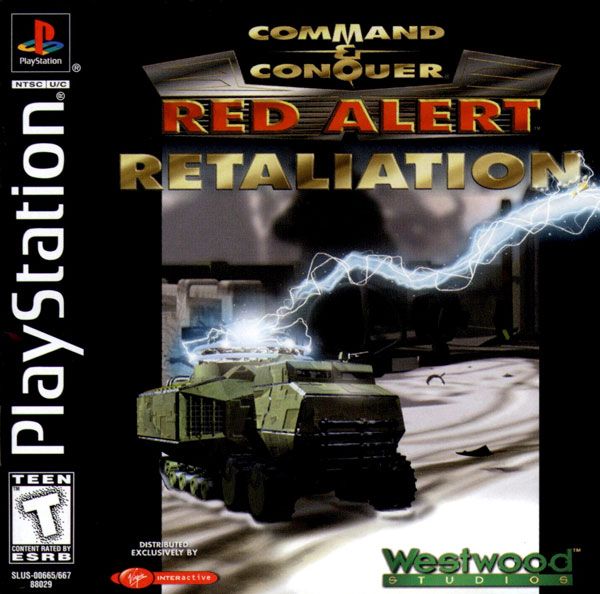
    Command & Conquer Red alert Retaliation


    Red Alert: Retaliation


    Genre: Strategy
    Platform: PC, PSP, PS
    Publisher: Westwood

    Tips

    Construction yard is the most important structure in this game. To destroy it, using nuke alone won’t be enough follow up with Spy plane to finish it off. You’ll need to time it so the nuke and spy plane will hit the target at the same time.

    Crono shift one of your strongest tank to the base of your enemy use iron curtain on it, if your lucky enemy units will use nuke on the tank destroying near by structures. For best result crono shift the tank near the enemy Construction yard.

    If you manage to capture an enemy Construction yard change it into a truck then crono shift it to your base to avoid the enemy from destroying the truck.

    Use Crono tank’s ability to crono shift to an enemy base use iron curtain to extend its life, when the iron curtain fade use crono shift to return the tank to your base.

    Usually structures cannot be built away from other allied structures. But structures like Nuclear power plant are too dangerous to be place near other structures. Here’s how to place a nuclear plant away from the main base. First, build a Mobile construction yard then deploy it away from the base. Second, create a nuclear plant and place it near the Construction yard. To finish re pack the Mobile conyard. (This strategy can also be use in deploying testa coil in key areas).

    Place a Mechanic near you Ore refinery to repair incoming ore trucks.

    Some units need to be recharge example:
    Flame tank – Repair facility
    Long bow/Harrier – Helipad

    Place an engineer near vital structures in case of heavy attack engineers can replenish Hit points instantly.

    When attacking bring along some engineers, capture the nearest structure (Make sure you have a tesla coil ready to be deployed). Deploy the tesla coil, this will add to your fire power.

    New units

    Place Ra.ini to a different folder then starts the game. New units will be available once you start building your base.


    Cheats
    Using notepad or wordpad open Ra.ini. You’ll see here different unit setting these includes: Armor, ammo, speed, etc. Edit a unit to become more powerful.

    Tip
    If you’ll edit a unit try to find a unit specific for your faction. If you edited a unit that both Allied and Soviet have it will have the same powers.

    Monday, May 4, 2009

    How to create a memory card on Connectix VGS

    How to create a memory card on Connectix VGS

    1. Click Preference a new window will appear

    2. Click create and type the File name

    3. This will serve as a memory card for VGS

    Figure 1
    Note: See figure 1 to view what preference look like